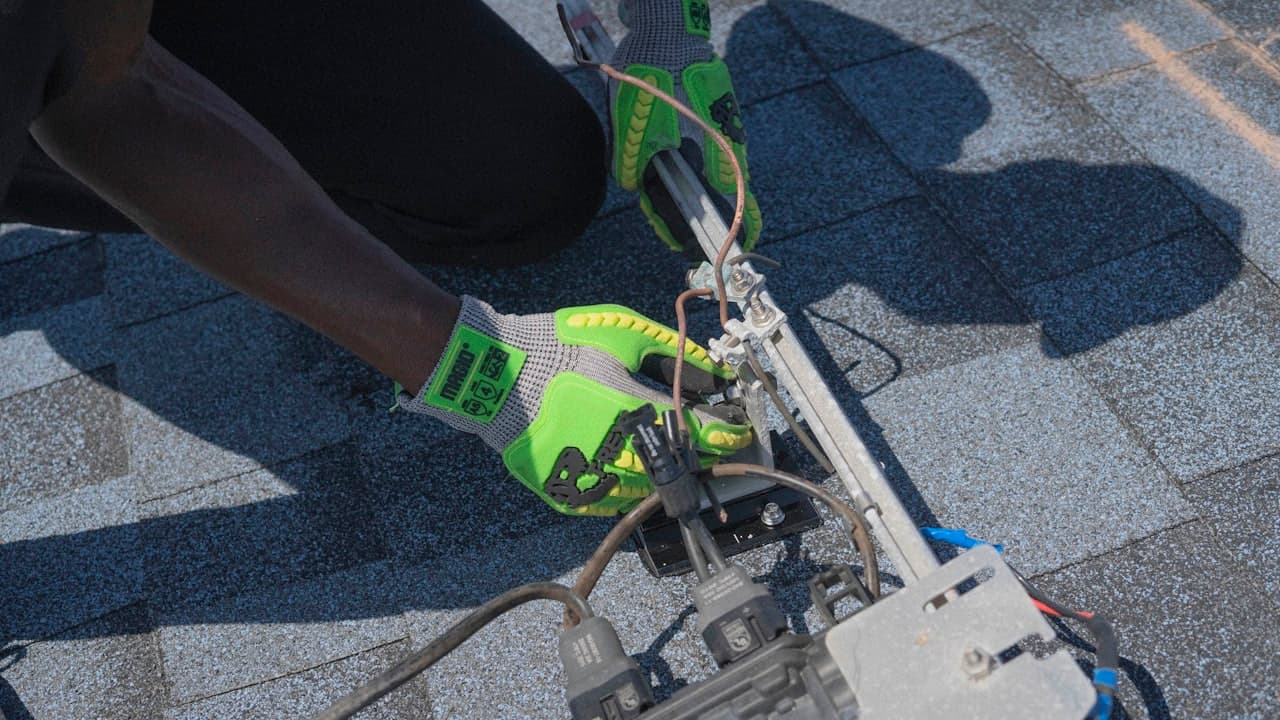
You can buy the best panels, the most reliable inverter, and the highest-rated batteries — and still end up with a system that's a fire hazard, a lightning target, or an electrical risk to anyone who touches it. Solar equipment is only as safe as the installation that connects it all together.
In Zimbabwe, where the solar industry is growing faster than the supply of qualified installers, shortcuts are common. Some are due to ignorance. Some are deliberate cost-cutting. Either way, you're the one living under that roof.
This guide covers what a safe installation looks like, what's commonly skipped, and what you should check — whether you're planning a new installation or evaluating one that's already on your roof.
DC Isolator Switches: The Non-Negotiable
A DC isolator switch is a manual disconnect that lets you cut the power between your panels and your inverter. It's required by electrical code in virtually every country that has solar standards — including Zimbabwe's adopted IEC/SAZ framework.
Why It Matters
Solar panels produce DC electricity whenever light hits them. You can't turn them off. Even if you switch off your inverter, the cables from the roof to the inverter are still carrying live DC voltage — typically 200--600V depending on your string configuration.
If there's a fire, an electrical fault, or your inverter needs servicing, someone needs to be able to disconnect that DC supply safely. Without an isolator, the only way to "turn off" the panels is to wait for nightfall or physically disconnect live cables — which is extremely dangerous.
What to Check
- There should be a clearly labelled DC isolator switch between the panels and the inverter, accessible without climbing onto the roof
- The switch should be rated for the system's maximum voltage and current (check the label)
- It should be a proper DC-rated switch, not a repurposed AC switch (DC arcs differently and requires specialised contacts)
- The switch should be in a weatherproof enclosure if mounted outdoors
A DC isolator is not optional. If your installer says "the inverter has a built-in disconnect so you don't need one," they're cutting a corner. The isolator must be accessible without going near the inverter — that's the entire point. In a fire, you need to kill DC power from a safe distance.
Surge Protection: Zimbabwe Gets Serious Thunderstorms
If you've lived through a Zimbabwean summer, you know the thunderstorms. The Highveld region around Harare, Masvingo, and Mutare experiences some of the highest lightning density in southern Africa. Your solar system, mounted on the highest point of your house with long cable runs, is effectively a lightning antenna.
What Surge Protection Does
Surge Protection Devices (SPDs) absorb voltage spikes from lightning strikes — both direct hits and the more common nearby strikes that induce surges through the wiring. Without SPDs, a single thunderstorm can destroy your inverter, fry your battery management system, and damage every panel's bypass diodes.
What a Proper Installation Includes
| Protection Point | Device | Purpose |
|---|---|---|
| DC side (panels to inverter) | Type 2 DC SPD | Protects against surges travelling down panel cables |
| AC side (inverter to distribution board) | Type 2 AC SPD | Protects against grid-side surges entering through the mains |
| Battery circuit | Type 2 DC SPD (battery rated) | Protects the battery management system |
| Communications | Data line SPD (if applicable) | Protects WiFi/Ethernet monitoring modules |
Each SPD should have a visual indicator (usually a green/red window) showing whether it's still functional. SPDs are sacrificial — they absorb one big surge and need replacement. Check them at the start of every rainy season.
Ask your installer specifically: "What surge protection are you installing, and where?" If the answer is vague or "the inverter has built-in protection," push back. Built-in inverter SPDs are a last line of defence, not a substitute for dedicated external SPDs at each circuit entry point.
Earthing and Grounding: Your System's Safety Net
Earthing (grounding) connects the metal frames of your panels, the inverter chassis, and the battery enclosure to a physical earth stake driven into the ground. If anything goes wrong — a cable fault, a lightning strike, a frame touching a live wire — the fault current flows safely into the earth instead of through a person.
What Proper Earthing Looks Like
- An earth stake (copper-clad rod, minimum 1.5 metres) driven into the ground near the inverter
- Earth resistance below 10 ohms (your installer should test with a ground resistance tester)
- A continuous earth conductor (green-yellow, minimum 6mm2 copper) connecting panel frames, mounting rails, inverter chassis, battery enclosure, and the earth stake
- Earth bonding between the solar earth and the house's existing earth system — two separate earth systems at different potentials are dangerous
- No paint or corrosion at connection points — bare metal to bare metal
Common shortcuts to refuse: earthing to a water pipe instead of a proper stake, skipping the earth resistance test, and not bonding the solar earth to the house main earth bar.
Zimbabwe's soil conditions vary significantly. Sandy soils in parts of Matabeleland may need multiple earth stakes or chemical earthing compounds to achieve acceptable resistance. Clay soils in Mashonaland generally earth well with a single stake. Your installer should test — not guess.
Cable Sizing: Undersized Cables Overheat
Every cable in your solar system carries current. The more current, the thicker the cable needs to be. If a cable is too thin for the current flowing through it, it heats up. Sustained overheating degrades the insulation, increases resistance (which causes more heating), and can eventually cause a fire.
DC Cables (Panels to Inverter)
These carry the highest risk because they're routed through roof spaces where nobody sees them and heat accumulates. DC cables must be proper double-insulated solar cable (H1Z2Z2-K or equivalent), not standard building wire.
| System Size | Typical DC Current | Minimum Cable Size |
|---|---|---|
| Up to 3 kW | 10--15A | 4mm2 solar cable |
| 3 -- 5 kW | 15--25A | 6mm2 solar cable |
| 5 -- 8 kW | 25--35A | 10mm2 solar cable |
| 8 -- 10 kW | 35--45A | 16mm2 solar cable |
Cable runs longer than 15 metres may need upsizing for voltage drop. Positive and negative cables should run together for easier isolation.
AC and Battery Cables
AC cables must handle the inverter's maximum output current — a 5 kVA inverter at 230V outputs over 21A, needing minimum 4mm2 for short runs. All exposed AC cable runs must be in conduit.
Battery cables are the most critical. A 5 kW inverter drawing from a 48V bank pulls over 100A. These must be minimum 25--35mm2, as short as possible (under 1.5 metres), and terminated with properly crimped lugs.
The battery-to-inverter cable is the most dangerous cable in your system. A short circuit here delivers hundreds of amps — enough to melt copper and start a fire in seconds. It must be correctly sized, properly fused, and as short as physically possible.
Circuit Breakers and Fuses
Every circuit in a solar system should be protected by an appropriately rated overcurrent device — either a circuit breaker or a fuse. Here's what a complete system needs:
| Circuit | Protection Device | Purpose |
|---|---|---|
| PV string | DC fuse or DC breaker per string | Protects panel cables from overcurrent |
| PV main | DC isolator + DC breaker | Master disconnect and overcurrent protection |
| Battery | DC fuse (ANL or MEGA type) | Protects battery cables — the highest-risk circuit |
| Inverter AC output | AC circuit breaker | Protects the house wiring from inverter faults |
| Grid input | AC circuit breaker + earth leakage | Protects against grid-side faults and shock risk |
If your installation has cables without corresponding protection devices, something was skipped.
Battery Ventilation and Placement
All batteries need ventilation, a non-combustible mounting surface (concrete, brick, or steel — not wood), and clearance from flammable materials. Beyond that, the chemistry determines the specific requirements:
- Lithium (LiFePO4): Operates best between 15--35 degrees Celsius. Avoid direct sunlight, unventilated tin roofs, or sealed cupboards. Keep at least 200mm from curtains, paper, and fuel containers.
- Lead-acid: Releases flammable hydrogen gas during charging. Must be in a ventilated space — never sealed rooms or under beds. Needs a drip tray for acid spills and must be kept away from ignition sources.
IP Ratings for Outdoor Equipment
IP (Ingress Protection) ratings tell you how well an enclosure resists dust and water. In Zimbabwe, outdoor-mounted equipment faces dust, rain, and occasionally hail.
| IP Rating | Protection Level | Suitable For |
|---|---|---|
| IP20 | Touch protection only, no water resistance | Indoor only — never mount outdoors |
| IP54 | Dust-protected, splash-resistant | Covered outdoor areas (carports, verandas) |
| IP65 | Dust-tight, water-jet resistant | Fully exposed outdoor mounting |
| IP67 | Dust-tight, submersion-resistant | Ground-level installations in flood-prone areas |
Your inverter, DC isolator, surge protection devices, and any junction boxes exposed to weather should be rated IP54 minimum. IP65 is preferred for anything directly exposed to rain.
Many budget inverters are rated IP20 (indoor only) but get mounted outdoors to save on installation costs. Within a year, moisture ingress and dust accumulation cause corrosion and component failure. Check the IP rating on the inverter's spec sheet and insist on appropriate mounting.
Why You Need a Qualified Electrician
Solar installation involves high DC voltages, battery systems capable of delivering hundreds of amps, AC grid connections, and rooftop work. It's not a DIY project, and it's not a job for "a guy who does solar."
A qualified installer should hold a valid electrical licence, show you previous installations, provide a Certificate of Compliance, test the system with proper instruments (insulation resistance, earth resistance, polarity checks), and provide full documentation including a system schematic and warranty cards.
Before hiring, ask these questions: Can I see your electrical licence? Will you provide a Certificate of Compliance? What surge protection will you install? How will you earth the system? What cable sizes will you use? Can I visit a previous installation? If any of these make the installer uncomfortable, find someone else.
Post-Installation Checks
Once your system is installed, go through this checklist before signing off and making final payment:
- DC isolator installed, labelled, and accessible
- Surge protection on DC, AC, and battery circuits
- Earth stake installed; earth conductor connects all metal components
- All cable runs neat, clipped, and in conduit where exposed
- Battery cables short, properly crimped, and fused
- Circuit breakers correctly rated for each circuit
- Batteries on non-combustible surface with ventilation
- Outdoor equipment has appropriate IP ratings
- Inverter displays correct voltage, current, and power readings
- System transitions smoothly when grid is disconnected (simulate by switching off your main breaker)
- You've received system schematic, serial numbers, and warranty documentation
- Installer has provided a Certificate of Compliance
SolMate's Match Builder generates a Protection and Safety Checklist specific to your equipment combination. Use it as a reference when reviewing your installer's proposed design — or as a post-installation verification list.
Equipment Lookup
Browse and compare certified solar equipment.
The Cost of Cutting Corners
A proper installation with all required protection devices adds roughly $300--$500 to the system cost. Skipping those components saves $300 today and risks a $5,000+ insurance claim — or worse — tomorrow. No responsible installer will argue against spending 5--8% of the system cost on safety. If one does, they're telling you everything you need to know about their priorities.