The sizing calculator is SolMate's core tool. You tell it where you live and how much electricity you use, and it recommends a solar system across three budget levels — complete with specific equipment, costs, and a 25-year payback projection.
This guide walks you through each step of the process.
Step 1: Choose Your Location
The first thing the calculator asks is where you are. This matters because solar output varies significantly across Zimbabwe. Harare gets different peak sun hours than Bulawayo, and the dust and temperature conditions that affect panel performance are different in Masvingo compared to Mutare.
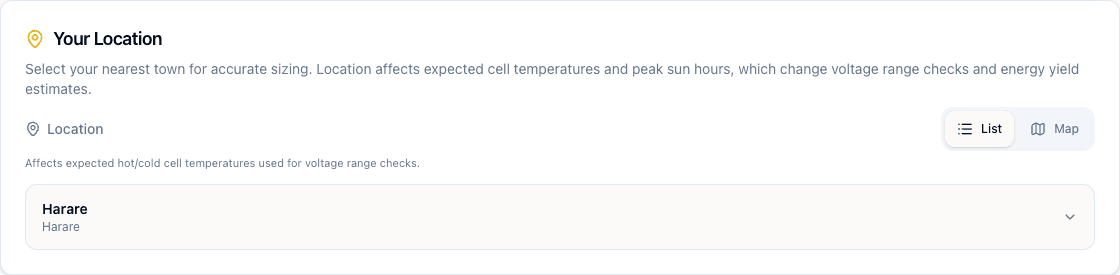 The location selector showing Harare selected with List and Map toggle
You can pick your town from the list view — a dropdown with all 22 supported locations — or switch to the map view to click on your province directly.
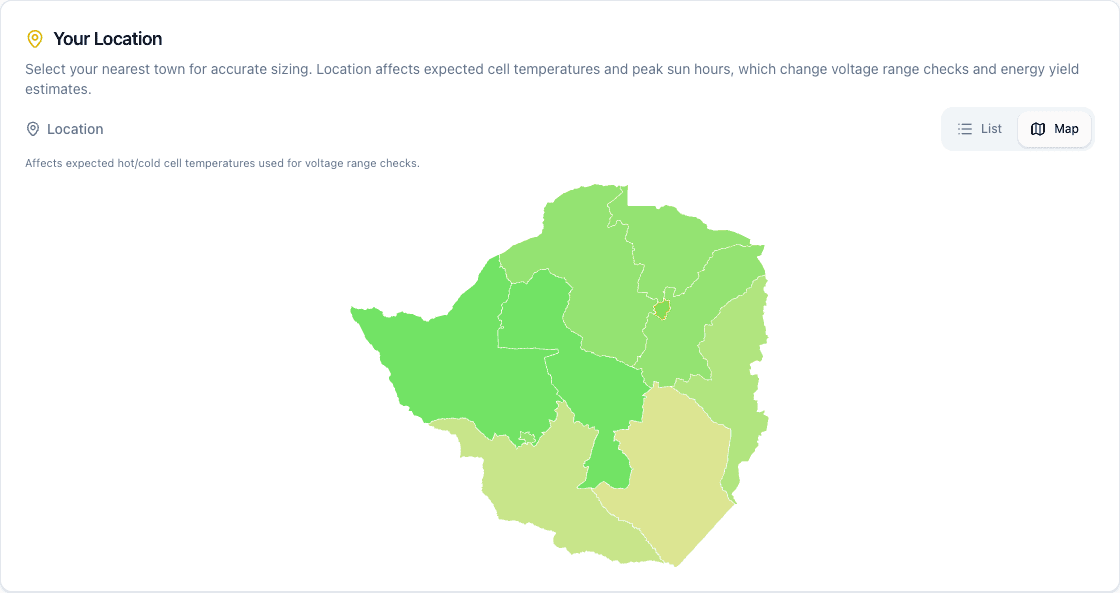 The map view showing Zimbabwe provinces colour-coded by solar potential
The map is colour-coded by solar potential. Lighter colours mean more sun. But don't worry about the exact numbers — the calculator uses the precise peak sun hours, temperature derating, and dust soiling factors for whichever town you select.
If you're between two towns, pick the closest one. The difference between neighbouring locations is usually small — within 5–10% for sizing purposes.
Step 2: Pick Your System Type
Next, choose between Hybrid and Off-Grid.
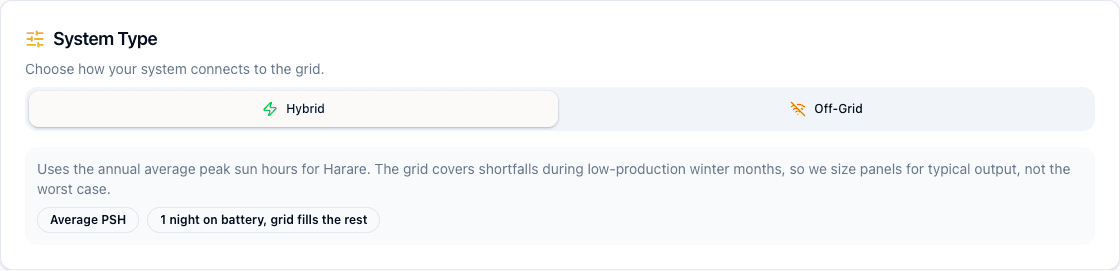 The system type selector showing Hybrid selected with an explanation of what it means
Hybrid means your solar system works alongside the grid. The grid covers shortfalls during low-production months (like winter or overcast weeks), so the calculator sizes your panels for average conditions rather than worst-case. This results in a smaller, cheaper system.
Off-Grid means no grid connection at all. The calculator sizes for the worst month of the year and adds extra battery capacity, because there's no fallback. This results in a larger system — but you're completely independent.
Most homes in Zimbabwe choose hybrid. You still have the grid as backup (when it's on), and your solar handles the bulk of the load. Off-grid makes more sense for farms, remote lodges, or areas where the grid is unreliable enough that you can't depend on it at all.
Step 3: Enter Your Usage
Now tell the calculator how much electricity you use each month. You can enter it two ways:
- Monthly Bill — type in your dollar amount and the calculator converts it to kWh using the current tariff bands
- Units (kWh) — type your kWh directly if you know it from your meter or token receipts
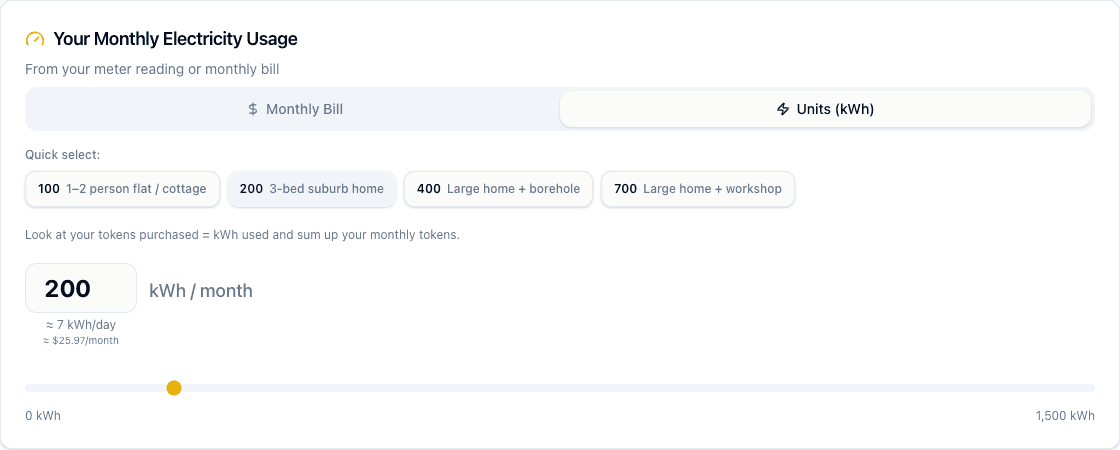 The usage input section with quick-select buttons, kWh input, slider, and cost estimate
If you're not sure, use the quick select buttons. These are based on typical Zimbabwe households:
| Quick Select | What It Represents |
|---|---|
| 100 kWh | 1–2 person flat or cottage |
| 200 kWh | 3-bed suburb home |
| 400 kWh | Large home with borehole |
| 700 kWh | Large home with workshop |
The calculator shows you the daily equivalent and estimated monthly cost so you can cross-check against your actual spend.
Look at your tokens purchased over the last 3 months and average them. Tokens purchased equals kWh used. This is more accurate than guessing from your bill amount because tariff bands change.
Step 4: Reduce Before You Size
Before seeing your recommendations, you can tick options that reduce your system requirements:
 Optimization checkboxes that reduce system size — gas for boiling, scheduling heavy loads, borehole timing
These aren't theoretical savings. If you already boil water with gas instead of a kettle, tick that box — the calculator will size a smaller (cheaper) system because it no longer needs to account for the kettle's draw. Same for scheduling heavy loads during solar hours or timing your borehole pump.
The idea is simple: reduce your load first, then size the system for what's left. A smaller load means fewer panels, a smaller battery, and a lower price.
Step 5: Read Your Recommendations
This is where the calculator delivers its results. You get three tiers, each designed for a different budget and lifestyle:
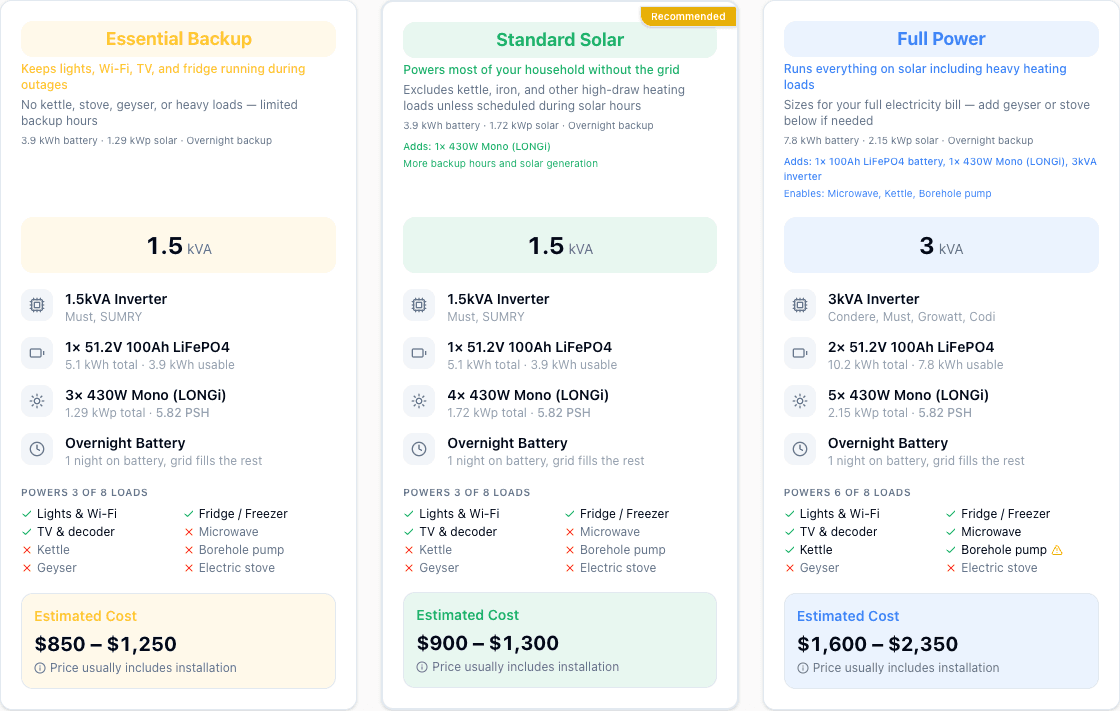 Three recommendation tiers — Essential Backup, Standard Solar, and Full Power — each with specific equipment and pricing
Essential Backup
The entry-level option. Keeps your lights, Wi-Fi, TV, and fridge running during load-shedding. No kettle, stove, or geyser — just the essentials. This is the cheapest way to stop sitting in the dark.
Standard Solar
Powers most of your household without the grid. You'll still need to schedule heavy loads like ironing and washing during solar hours, but for day-to-day life this tier covers you. The "Recommended" badge means this is the sweet spot for most homes.
Full Power
Runs everything including heavy loads like microwaves, kettles, and borehole pumps. Larger inverter, more batteries, more panels. This is for households that want to minimise or eliminate their grid dependence entirely.
Each tier card shows you:
- Inverter size (kVA) and suggested brands
- Battery capacity (kWh usable) and chemistry (LiFePO4)
- Panel count (wattage and brand)
- Which loads it powers (green ticks vs red crosses)
- Estimated cost range including installation
Step 6: Optimise Further
Below the tier cards, you'll find the Get More From Your System section — practical tips that don't cost anything but can save significant energy:
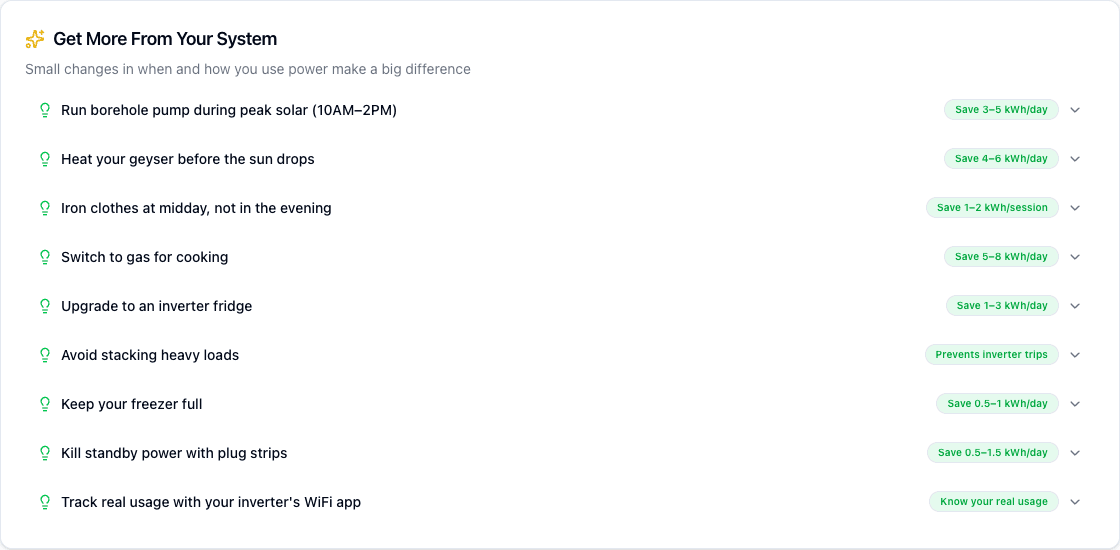 Optimization tips showing potential savings for each behaviour change
These aren't generic advice. Each tip shows the estimated kWh savings per day. Running your borehole pump during peak solar (10AM–2PM) instead of the evening can save 3–5 kWh/day — that's a meaningful reduction in the system size you need.
What to Do With Your Results
The sizing calculator gives you a starting point, not a final design. Here's how to use the results:
- Screenshot or save your recommendations (use the "Save as Image" button)
- Get quotes from 2–3 installers and compare them against the calculator's estimates
- Cross-check equipment using the Equipment Lookup tool to verify specs
- Verify serial numbers on delivery using the Verify Equipment tool
The calculator provides indicative estimates. A registered PV designer should confirm the final system design — they'll account for your specific roof layout, shading, cable runs, and protection requirements that a calculator can't see.
Return on Investment
Expand the Return on Investment section at the bottom of the page to see a 25-year projection. This shows when your system pays for itself based on current tariff rates and how much you'll save over the life of the panels. We cover the ROI calculation in detail in a separate article.
Size Your System
Calculate the right panels, batteries, and inverter for your home.