Counterfeit and substandard solar equipment is a real problem in Zimbabwe. Panels that claim to be 550W but deliver 350W. Inverters with fake brand labels. Batteries that lose half their capacity within a year. The verification tool helps you catch these before you hand over your money.
This guide shows you how to use it.
How Verification Works
The tool runs three checks in layers:
- Manufacturer identification — matches the serial number or barcode pattern to a known manufacturer
- Format validation — checks whether the serial number structure is correct for that manufacturer (length, character patterns, checksums)
- CEC database lookup — searches the NREL CEC equipment database for the specific model
Each layer adds confidence. A serial that passes all three is very likely genuine. One that fails at layer one is a strong warning sign.
Step 1: Enter the Serial Number
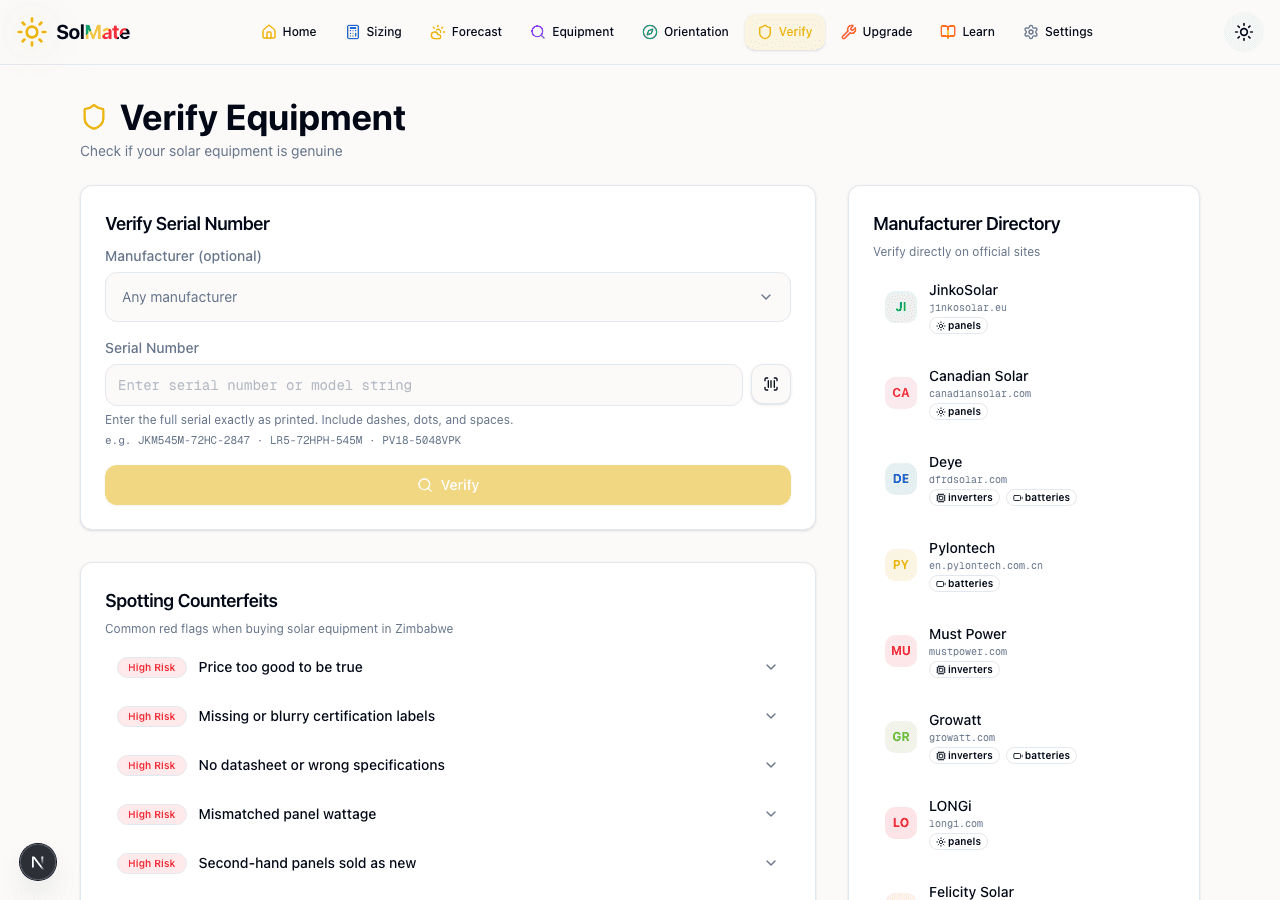 The verification form with manufacturer dropdown, serial input, and barcode scanner
Open the Verify Equipment tool and you'll see two fields:
- Manufacturer (optional) — a dropdown to narrow the search. If you know the brand, select it. If you're not sure, leave it on "Any manufacturer" and the tool will try to detect it from the serial.
- Serial Number — enter the full serial exactly as printed on the equipment. Include dashes, dots, and spaces.
Example serials: JKM545M-72HC-2847 (Jinko), LR5-72HPH-545M (LONGi), PV18-5048VPK (Must Power).
The serial number is usually on a sticker on the back of the panel, on the inverter's side panel, or on the battery casing. Look for a barcode or QR code — the number beneath it is the serial.
Using the Barcode Scanner
On mobile, tap the barcode icon next to the serial input. This opens your camera. Point it at the barcode or QR code on the equipment — the tool automatically reads the serial and identifies the manufacturer.
This is the fastest and most accurate method, especially when serials are long or hard to read.
Step 2: Read the Results
After clicking Verify, the tool runs all three checks and shows results stacked in order:
Manufacturer Match — if the serial pattern matches a known manufacturer, you'll see the brand name and detected model. If it doesn't match any known pattern, that's a yellow flag.
Serial Format Validation — a pass/fail badge. "Pass" means the serial follows the correct structure for that manufacturer. "Fail" means the format doesn't match — the serial might be fabricated or from a different product line.
CEC Database Lookup — shows whether the specific model appears in the CEC (California Energy Commission) database. If found, you get a direct link to the full specs. If not found, it doesn't necessarily mean the equipment is fake — the CEC doesn't cover every product sold globally — but it's another data point.
No automated tool can guarantee authenticity with 100% certainty. The verification tool checks what it can digitally. Always combine it with the physical red-flag checks below.
Step 3: Check the Red Flags
Below the verification form, the Spotting Counterfeits section lists the most common warning signs when buying solar equipment in Zimbabwe.
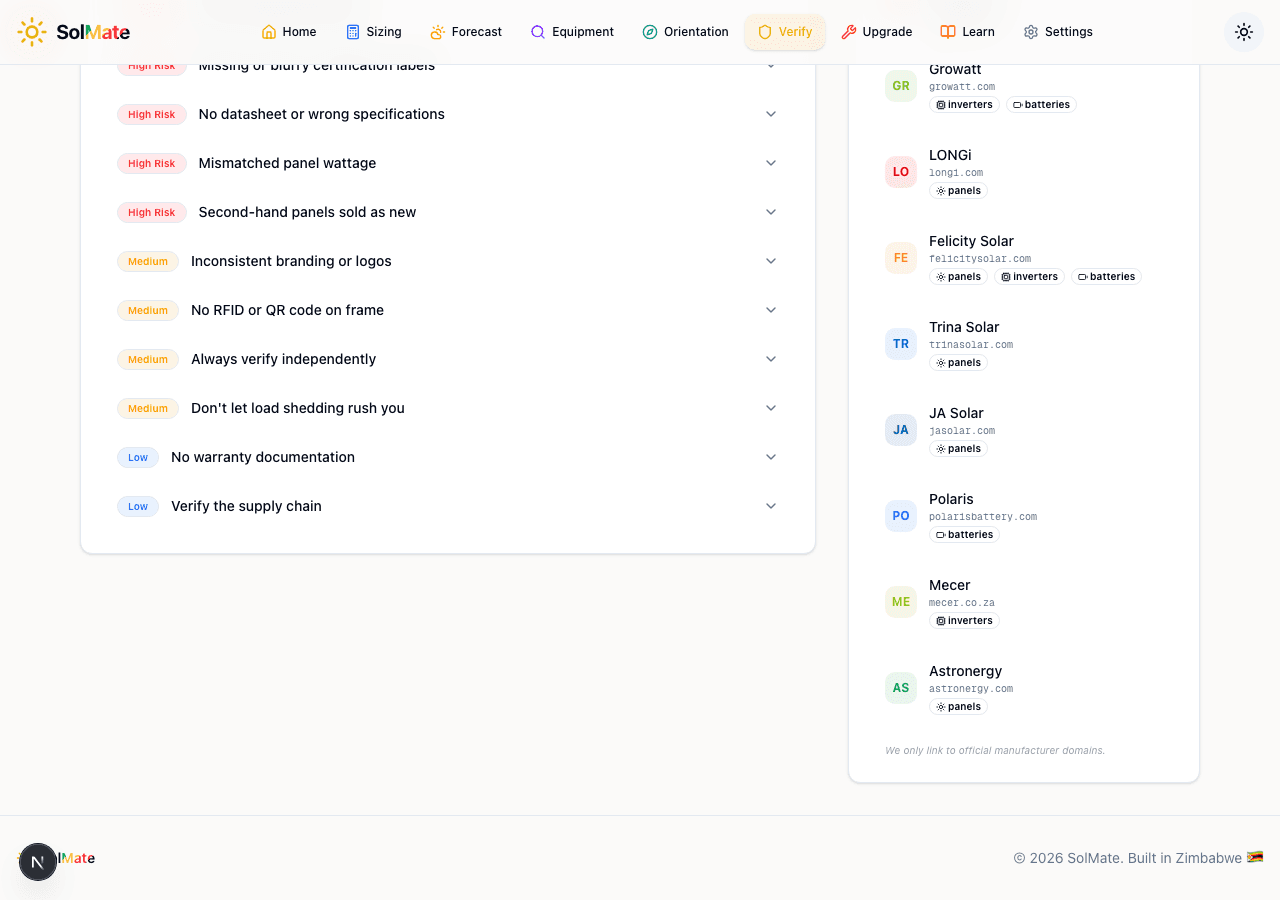 Red flags checklist and manufacturer directory
Each flag is rated by risk level:
High Risk
- Price too good to be true — a 550W tier-1 panel for $80 should raise immediate suspicion. Genuine panels from Canadian Solar, JA Solar, or Jinko cost more because they're certified and warrantied.
- Missing or blurry certification labels — genuine panels have clear IEC 61215 and IEC 61730 certification stickers. If they're missing, smudged, or printed on regular paper, walk away.
- No datasheet or wrong specifications — every genuine panel has a manufacturer datasheet. If the seller can't produce one, or the specs on the sheet don't match what's printed on the panel, that's a problem.
- Mismatched panel wattage — the wattage on the label should match the datasheet and the serial number series. A panel labelled 550W but with a serial from a 400W production run is a red flag.
- Second-hand panels sold as new — look for micro-cracks, yellowing of the EVA encapsulant, or oxidation on the junction box. These indicate a used panel being resold.
Medium Risk
- Inconsistent branding or logos — compare the logo on the panel to the manufacturer's official website. Counterfeits often have slightly different fonts, colours, or spacing.
- No RFID or QR code on frame — many tier-1 manufacturers embed RFID tags or QR codes in the frame for traceability. If the brand claims this feature but the panel doesn't have it, investigate further.
- Always verify independently — don't rely solely on the installer's word. Use this tool, check the manufacturer's website, and call the local distributor if needed.
- Don't let load shedding rush you — desperate buyers make easy targets. Take the time to verify before paying.
Low Risk
- No warranty documentation — not a dealbreaker on its own (some genuine resellers lose paperwork) but combined with other flags it's concerning.
- Verify the supply chain — ask where the panels were imported from, who the local distributor is, and whether they're an authorised dealer.
Expand each red flag for a detailed explanation and what to look for. The descriptions include specific physical checks you can do on-site before purchasing.
The Manufacturer Directory
On the right side of the page, the Manufacturer Directory lists known solar equipment brands with:
- Official website link (for cross-referencing)
- Equipment type badges (panels, inverters, batteries)
- Brand initials for quick identification
This includes brands commonly sold in Zimbabwe: JinkoSolar, Canadian Solar, Deye, Pylontech, Must Power, Growatt, LONGi, Felicity Solar, Trina Solar, JA Solar, Polaris, and Mecer.
Use these links to verify directly on the manufacturer's official website. Some manufacturers (like Jinko and Canadian Solar) have their own online serial verification portals.
A Practical Verification Workflow
Here's the process to follow when buying solar equipment:
- Before you pay — ask the seller for the serial numbers of the exact units they'll deliver
- Run them through the verification tool — check manufacturer match, format, and CEC status
- On delivery — physically inspect the equipment against the red-flag checklist
- Scan the barcode — use the mobile scanner to confirm the serial matches what was quoted
- Cross-reference specs — look up the model in the Equipment Lookup tool and compare the datasheet specs against what's printed on the unit
- Document everything — photograph serials, labels, and packaging before installation
If a seller refuses to provide serial numbers before purchase, or pressures you to skip verification, that's a significant red flag on its own. Legitimate dealers have nothing to hide.
Verify Equipment
Check if your solar equipment is genuine and certified.