Panel orientation is one of the most underrated factors in solar performance. Two identical systems on the same street can produce 20–30% different output if one faces the wrong direction or has the wrong tilt angle. The orientation tool helps you find the best spot for your panels — and shows you exactly what a less-than-ideal mounting costs.
Why Orientation Matters
In Zimbabwe (Southern Hemisphere), the sun tracks across the northern sky. Panels facing true north at the right tilt angle catch the most sunlight across the year. But most roofs weren't designed for solar — they face whatever direction the house was built.
The question isn't just "which direction is best?" but "how much output am I losing with this roof?" The orientation tool answers both.
Step 1: Capture Your Roof Direction
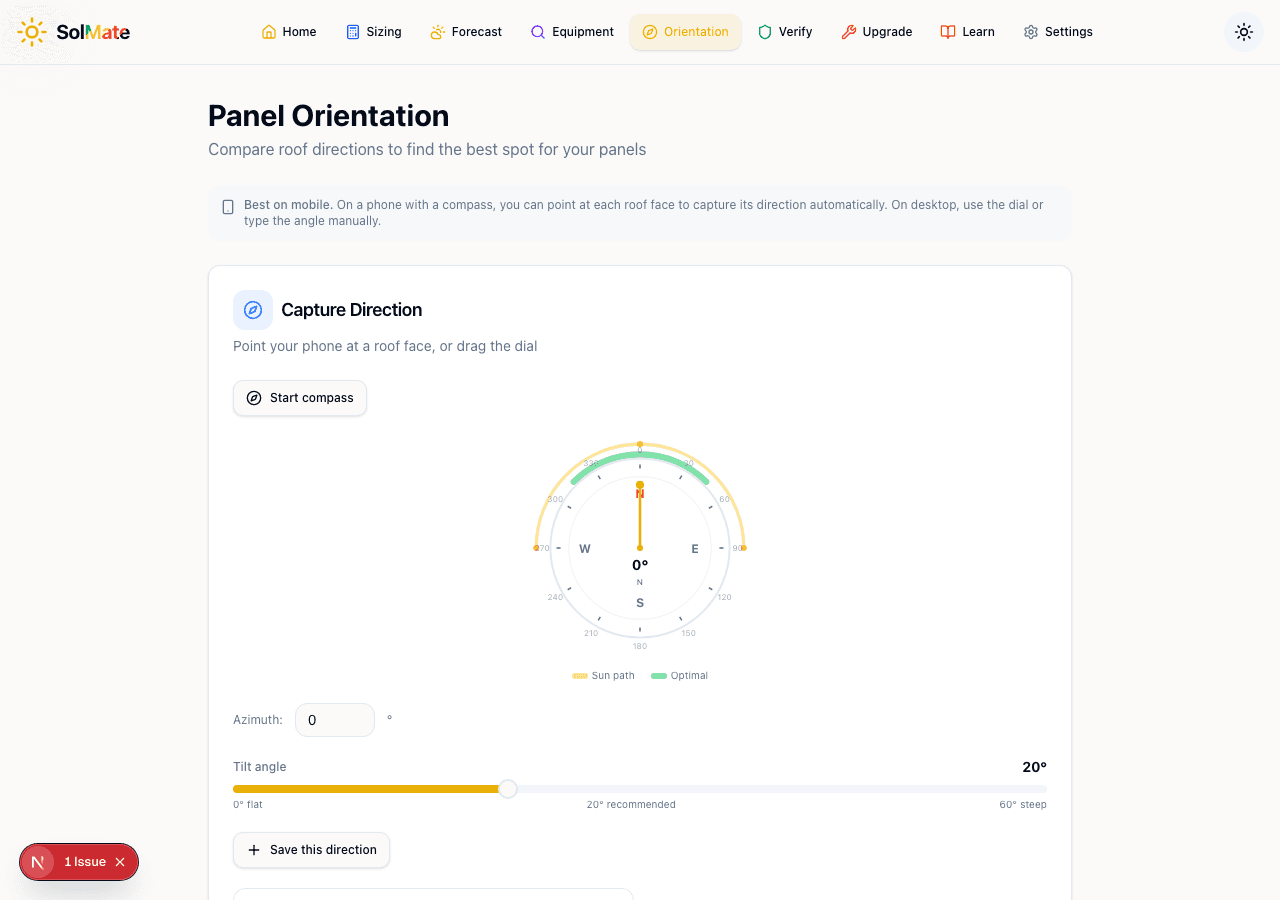 The compass dial showing azimuth, tilt slider, and direction capture
On Mobile (Recommended)
The tool works best on a phone with a compass:
- Open the orientation tool on your phone
- Tap Start compass — the compass dial begins tracking your phone's direction
- Walk to your roof face and hold your phone flat against the wall (or point it in the direction the roof faces)
- The compass dial locks onto the azimuth (compass bearing)
- Tap Save this direction to capture it
Repeat for each roof face — if your house has a north-facing and east-facing roof section, capture both.
On Desktop
If you're using a computer, drag the compass dial to set the azimuth manually, or type the bearing directly into the Azimuth number field (0° = North, 90° = East, 180° = South, 270° = West).
The compass dial shows two overlay zones:
- Yellow arc — the sun's path across the sky at your latitude
- Green arc — the optimal azimuth range for maximum annual production
Any direction that falls within the green zone is good. The closer to the centre of the green zone, the better.
Don't have a compass app? Stand facing the roof face and use Google Maps — the direction you're looking is the azimuth. North is 0°, East is 90°, South is 180°, West is 270°.
Step 2: Set Your Tilt Angle
Below the compass is the Tilt angle slider, ranging from 0° (flat) to 60° (steep).
For Zimbabwe, the recommended tilt is around 20° — marked on the slider as the midpoint. This balances summer and winter production. A steeper tilt (30°+) captures more winter sun but loses summer output. A flatter tilt (10°) does the opposite.
Most residential roofs in Zimbabwe are between 15° and 25°, which is close to ideal. If your panels are going on an existing roof, measure the roof pitch — that's your tilt angle.
If you're mounting panels on a flat roof or ground mount, you have the freedom to choose any tilt. 20° is the safe default for Zimbabwe. Adjust to 25° if you want to prioritise dry-season (winter) output, or 15° if wet-season (summer) output matters more.
Step 3: Read the Production Stats
After setting azimuth and tilt, the tool shows you two key numbers:
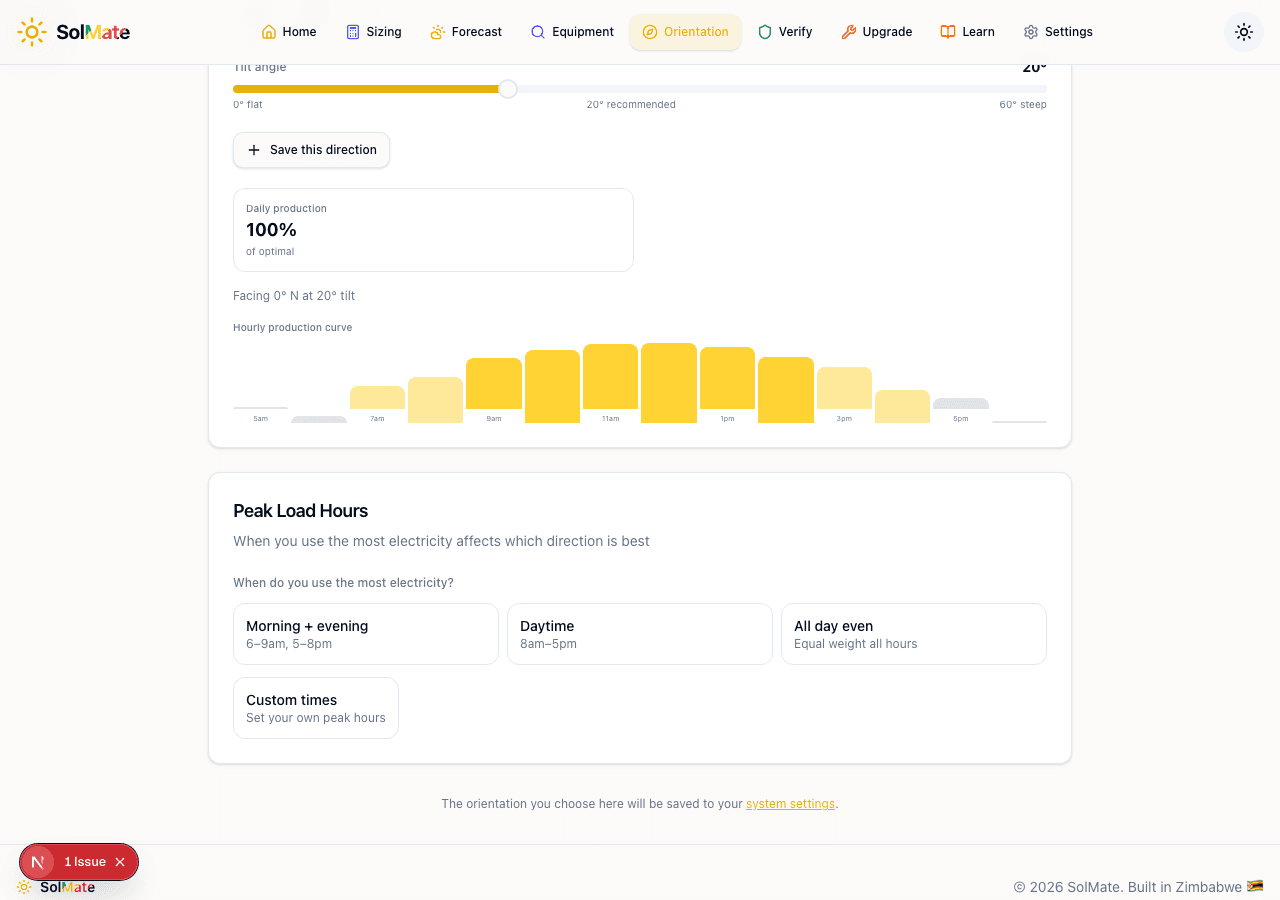 Production stats and hourly production curve
Daily Production Percentage
This is the headline number — shown as a percentage of the optimal orientation. 100% means you're getting the maximum possible output. 85% means you're losing 15% compared to the ideal direction.
For context:
- 90–100% — excellent, no significant losses
- 75–89% — good, manageable losses that probably don't justify moving panels
- 60–74% — noticeable losses, consider whether a different roof face is available
- Below 60% — significant losses, strongly consider alternative mounting
Hourly Production Curve
The bar chart shows expected production factor for each hour of the day (5 AM to 6 PM). Each bar is colour-coded by intensity — tall yellow bars mean strong production, short faded bars mean minimal output.
This is where orientation gets interesting. A north-facing roof produces a symmetrical curve peaking at midday. An east-facing roof produces more in the morning and less in the afternoon. A west-facing roof does the opposite.
The shape of this curve tells you when your panels produce, not just how much. If you run your borehole pump at 10 AM, an east-facing roof might actually be better for you than a north-facing one — even though it produces less total kWh.
Step 4: Set Peak Load Hours
The Peak Load Hours section lets you tell the tool when you use the most electricity:
- Morning + evening (6–9 AM, 5–8 PM) — typical for households with working adults
- Daytime (8 AM – 5 PM) — working from home or daytime-heavy usage
- All day even — equal weight across all hours
- Custom times — set your own peak hours
When you set peak hours, the production stats recalculate. Instead of optimising for total daily output, the tool optimises for output during your peak usage times.
This can change the ranking of your roof faces. A north-facing roof might produce more total kWh, but if your peak usage is morning and evening, an east-west split could serve you better.
If you're not sure when your peak usage is, think about when you run the kettle, geyser, washing machine, and borehole pump. Those are your heavy loads. If they cluster in the morning, set "Morning + evening."
Step 5: Compare Roof Faces
The real power of the tool comes from saving multiple directions and comparing them.
After capturing each roof face:
- A ranked list appears at the bottom
- Each row shows the direction, tilt, and daily production percentage
- The list is automatically sorted by production (best first)
- If you've set peak hours, the ranking adjusts to favour directions that produce more during your peak times
Choosing the Best Direction
Look at the top-ranked option. If it's above 85%, that's your winner. If multiple options are close (within 5%), other factors matter more — like shading, cable run length, and ease of installation.
Once you've decided, tap Use this direction on the winning row. This saves the orientation to your system settings, and all other tools (like the Forecast) will use it for their calculations.
Common Scenarios in Zimbabwe
North-facing roof (0° azimuth)
The ideal case. Maximum annual production. If you have a north-facing option, use it unless it has significant shading.
East-facing roof (90° azimuth)
Strong morning production, weak afternoon. Good if you run heavy loads in the morning (borehole, washing). Expect 80–85% of a north-facing roof's output.
West-facing roof (270° azimuth)
Strong afternoon production, weak morning. Good if you want to charge batteries for the evening or run loads in the afternoon. Same 80–85% as east-facing.
South-facing roof (180° azimuth)
The worst option in the Southern Hemisphere — panels face away from the sun. Expect 55–65% of north-facing output. Consider ground-mounted panels or a different roof section.
East-west split
Some installers split panels across east and west faces. This gives a flatter production curve — less peak output but more spread across the day. This works well for households that use power evenly throughout the day.
Shading matters more than orientation. A north-facing roof with 3 hours of tree shade will produce less than an east-facing roof with no shade. Check for shadows at 9 AM, 12 PM, and 3 PM before committing.
Panel Orientation
Find the ideal angle and direction for your panels.